Client Koi Google Maps Scraper & B2B Lead Extractor
Stop wasting time searching manually. Build a massive database of B2B clients, extract contact info directly from Google Maps, and scale your agency outreach overnight.
Quick Setup Guide
Install in under 2 minutes. Start extracting clients immediately.
download Download Client Koi Now-
Download & ExtractClick download to get the ZIP archive, then Right-Click -> Extract All.প্রথমে জিপ (ZIP) ফাইলটি ডাউনলোড করুন এবং ফাইলটি Extract করে নিন।
-
Open Chrome ExtensionsNavigate to
chrome://extensionsin your browser URL bar.এবার ক্রোম ব্রাউজারের মেনু থেকে Manage Extensions পেজটি ওপেন করুন। -
Enable Developer ModeToggle the "Developer mode" switch in the top right corner.ডানপাশের উপরের কোণায় থাকা 'Developer mode' অপশনটি চালু করে দিন।
-
Load UnpackedClick the "Load unpacked" button and select your extracted folder.এরপর 'Load unpacked' বাটনে ক্লিক করে আপনার ফোল্ডারটি সিলেক্ট করুন।
Inside Client Koi
Take a look at the simple, lightweight interface designed for high-performance scraping and CRM exports.
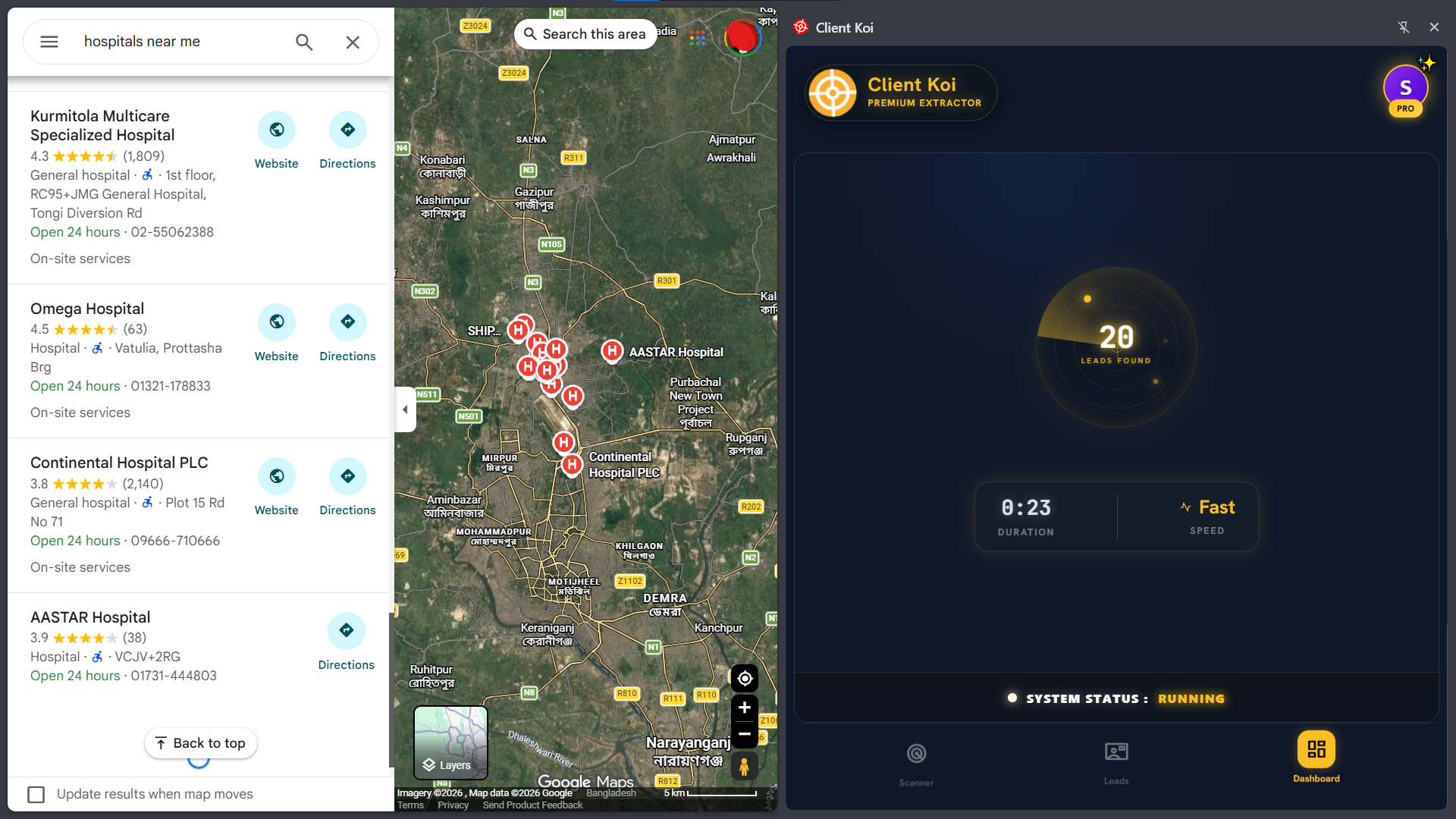
Scraper Sidepanel Interface
Start extracting clients directly within Google Maps. Simple configurations for search tags, delay jitter, and automatic captcha solvers.
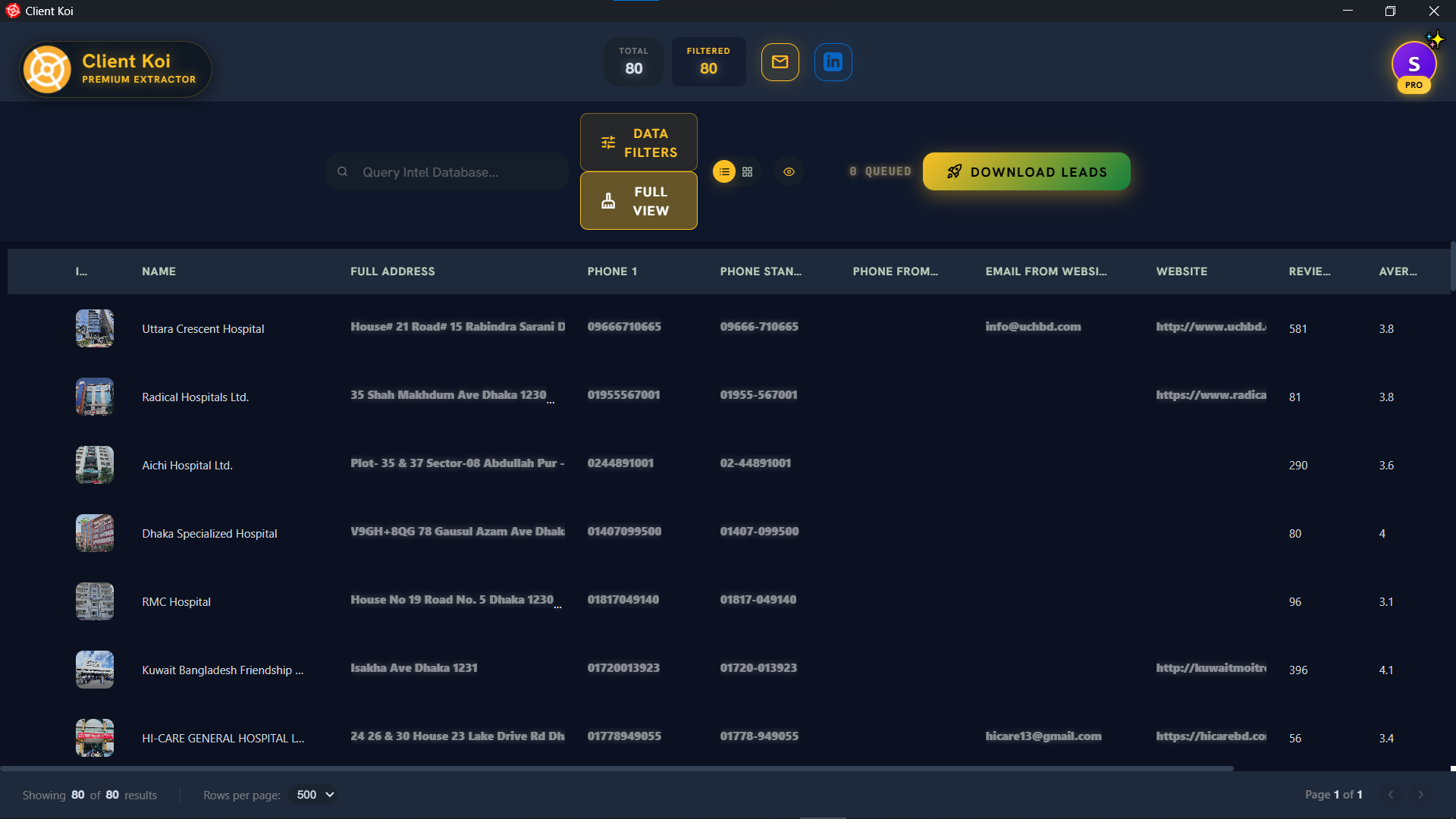
Extracted Leads Dashboard
Monitor extracted local business data in real time. Quickly preview emails, phone numbers, and social media handles before exporting to Excel or CSV.
Explore Client Koi
Everything you need to master Google Maps lead generation — from step-by-step tutorials to pro scraping tips.
How to Scrape Google Maps
Complete 2026 guide with step-by-step instructions for extracting B2B leads from Google Maps using Client Koi.
Read the guide arrow_forwardAll Features
Deep email extraction, CAPTCHA bypass, anti-ban mechanics, CRM export, and social media scraping — explore every capability.
See features arrow_forwardPro Tips & Best Practices
10 expert tips to maximize your lead extraction results — from smart delay settings to data cleaning techniques.
Get tips arrow_forwardClient Koi vs Alternatives
See how Client Koi compares against Instant Data Scraper, Outscraper, and other popular Google Maps scrapers.
Compare tools arrow_forwardReady to Build Your B2B Lead Database?
Join thousands of agencies using Client Koi to extract verified contacts from Google Maps — completely free.
download Download Client Koi